

I added micro posts to my site. Sometimes I want to make a brief announcement, e.g. a new patch for TrackLab, but I don’t want to mix announcements with regular posts. Also I don’t need to do SEO for them. Micro posts have a little text and a thumbnail only. No categories, no tags, no comments, no SEO.
You can add them to your site on WordPress as well and you don’t need a third-party plugin for that. Here is a guide on how to create a WordPress plugin for micro posts.
Creating a plugin
First, create a directory in wp-content/plugins for your plugin with two files – a .php file and a .css file.

Register a new post type:
<?php
/*
Plugin Name: Micro Posts
*/
add_action('init', 'ms_register_micro');
function ms_register_micro() {
  register_post_type('micro', [
    'labels'       => [
                         'name'=>'Micro Posts',
                         'singular_name'=>'Micro Post'
                      ],
    'public'       => true,
    'supports'     => ['title','editor','thumbnail'],
    'show_in_rest' => true
  ]);
}You can define labels for different parts of the UI, but these two are enough. Also I keep the supports value as minimal as possible, but if you want to display the date of the post, you should add it to the array. The show_in_rest value is crucial for the block editor. If you do not use the block editor, you can remove this value.
At this stage you can already use your plugin and add some posts. To do that, activate your plugin.
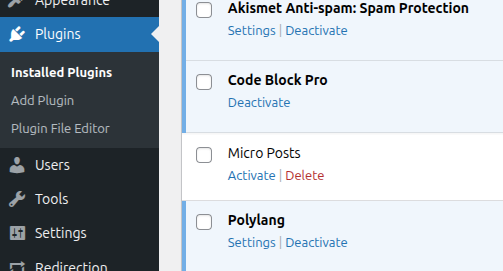
After that, a new item should appear in the admin menu.

Displaying the micro posts
Half of the job is done. Now it’s time to show micro posts on the main page.
<?php

// ...

add_action('loop_start', 'mp_show_micro_at_loop_start');
function mp_show_micro_at_loop_start($query) {
  if (!is_front_page()) return;
  $micro_posts = get_posts([
		'numberposts'  => 3,
		'post_type'    => 'micro',
	]);
  echo '<div id="micro-posts">';
  foreach ($micro_posts as $post) {
    echo '<div class="micro-item">';
    echo get_the_post_thumbnail($post);
    echo '<p>' . $post->post_content . '</p>';
    echo '</div>';
  }
  echo '</div>';
}There, the loop_start hook is used to show micro posts before regular posts. To ensure they display only on the main page, I used condition with is_front_page. Delete it if you want show posts on another page. The numberposts value defines how many posts are displayed.
The last part is CSS. First, include your plugin’s CSS file in the page assets.
<?php

// ...

add_action('wp_enqueue_scripts', 'mp_assets');
function mp_assets() {
  wp_enqueue_style('mp-style', plugins_url('style.css', __FILE__));
}Then write styles that fit your site.
#micro-posts {
    display: flex;
    overflow-x: hidden;
    gap: 12px;
    padding: 12px 16px;
    border-bottom: 1px solid #eee;
}

.micro-item {
    min-width: 120px;
    max-width: 33%;
    text-align: center;
}

.micro-item img {
    display: block;
    width: 120px;
    height: 100px;
    object-fit: cover;
    margin: 0 auto 6px;
}Great! Now you can make announcements on the main page of your site.
Sources
https://developer.wordpress.org/reference/functions/register_post_type/