
I always felt that asking people to download an APK from an unknown website looks suspicious. Even though I can guarantee that TrackLab doesn’t collect data or contain malware, words alone aren’t enough.
That’s why I’ve published a web version of TrackLab, which you can try here: TrackLab Web Demo
This is the full version, running entirely in your browser thanks to the web framework I’m using.
Best experience on mobile
TrackLab was designed for mobile, so on desktop the layout may look odd. If you’re testing from your computer with Google Chrome, I recommend:
- Press F12 to open DevTools.
- Press Ctrl + Shift + M to toggle the mobile device toolbar.
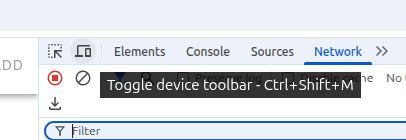
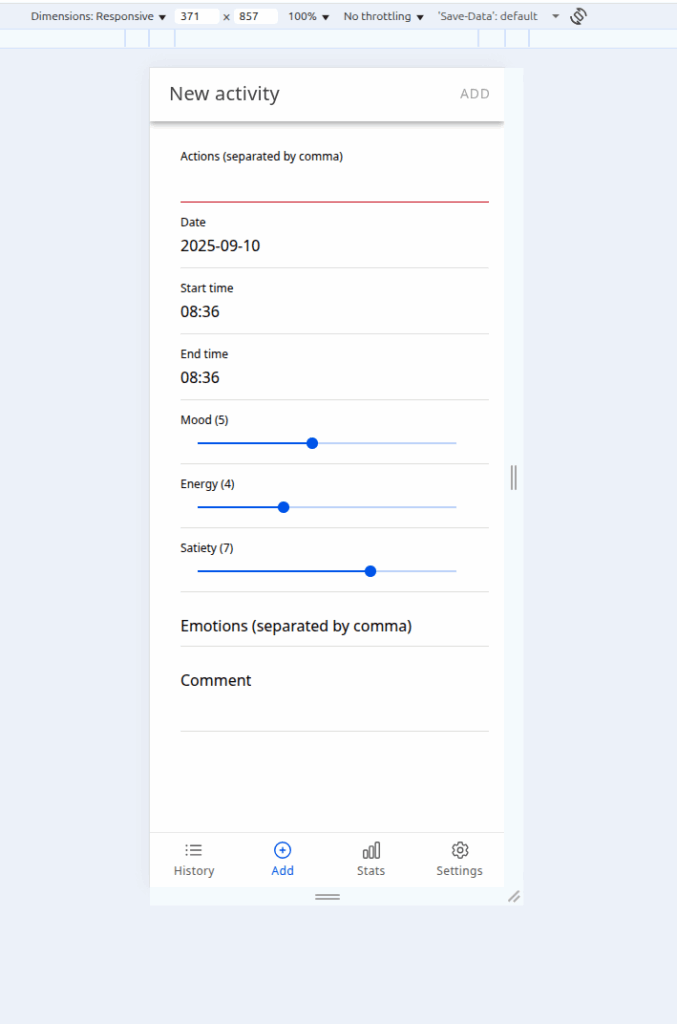
Now you’ll see the app in a virtual phone screen – much easier to use!
About privacy
Also, DevTools can help you be sure that TrackLab doesn’t send your data anywhere. TrackLab is built for 100% offline use. You can confirm this:
- Open “Network” tab in DevTools.
- Refresh the page.
- You’ll see only a few requests (icons and a JSON file with translations which are downloaded from assets folder).
- Add some activities and watch – no new requests are sent.

If you clear your browser data, all your activities are gone permanently. Nothing is uploaded anywhere.
This way, you can try TrackLab safely, knowing your data never leaves your device.